
Monthly Expense Report
Turn scattered expense notes into a searchable monthly reporting flow. This workflow splits the text, stores vectors for retrieval, and keeps your finance team ready to summarize or export the data fast.
COMPLEXITY
Intermediate
SETUP TIME
8 minutes
TECHNOLOGIES USED


REQUIREMENTS
- An n8n instance
- OpenAI API key
- Weaviate access
- Google Sheets access
- Slack workspace
Workflow Preview
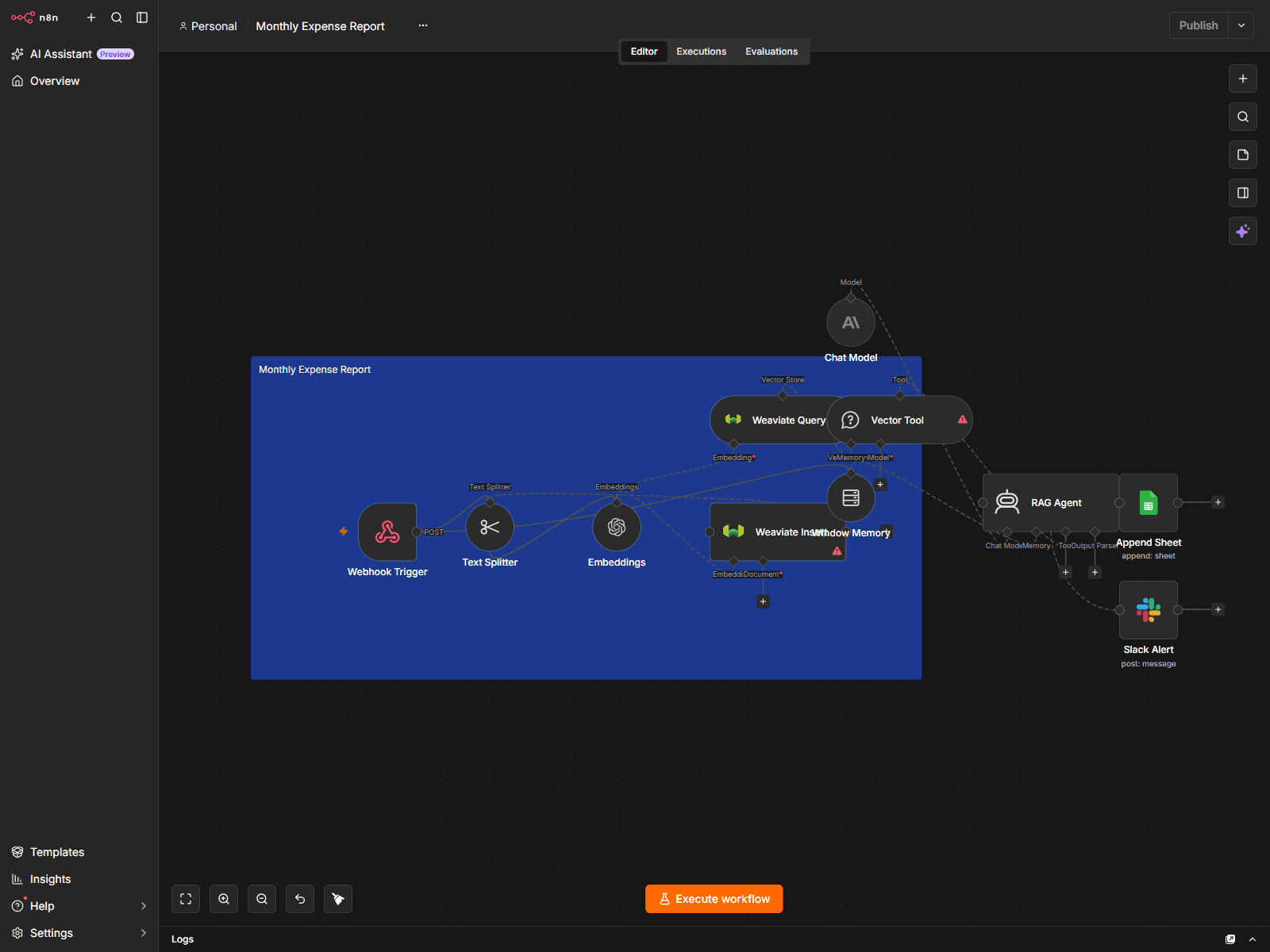
How It Works
Webhook Intake
A POST webhook receives the monthly expense payload or notes
Chunking
Text Splitter breaks the content into small searchable chunks
Embeddings
OpenAI embeddings convert the expense text into vector-ready data
Vector Storage
Weaviate stores and queries the monthly expense memory
Report Output
The workflow can surface the stored data for report generation or a team summary
Frequently Asked Questions
Can I swap Weaviate for another store?
Yes. Replace the Weaviate nodes with another vector store integration if you already use one.
Is this only for expense data?
No. The same structure works for other recurring monthly notes, summaries, or reporting intake.
Does it need Google Sheets?
The template is designed to work with Sheets for reporting, but you can swap the output to another destination.
How hard is the setup?
It is an intermediate build and usually takes under 10 minutes once your credentials are ready.
What is the refund policy?
Due to the digital nature of our products, we cannot offer refunds once purchased. We provide 7 days of implementation support to ensure your success through email. If you encounter any issues, please reach out to us at team@autorithm.net.
One-time payment
Intermediate • 8 minutes
What's Included
- Import-ready n8n workflow JSON
- Setup notes for vector storage and embeddings
- Reusable monthly reporting structure
- Downloadable ZIP package with README and workflow JSON
Instant Access
Secure Payment
7d Support